

Choosing an AI answering service comes down to nine questions, and only three of them are about features. The rest are about integration depth, escalation, configuration ownership, and what happens when something goes wrong, which is where most disappointing deployments actually originate.
Every AI answering service will tell you it answers 24/7, books appointments and integrates with your software. Those claims are broadly true across the category and therefore useless for choosing between vendors. The questions below are the ones that produce different answers from different companies.
The nine questions
1. Does it write bookings directly into the system I already use?
"Integrates with" covers a wide range. At one end, a fully-formed booking appears on the right technician's calendar with job type, customer record and notes. At the other, you get an email summary someone re-keys.
How to verify: ask them to demonstrate a live booking into your actual system during the evaluation, not a sandbox. If they can only show a demo environment, ask why.
2. How does it decide something is an emergency, and what does it do then?
For home services this is the highest-stakes behavior in the product. A no-heat call in January and a request for a quote on a bathroom remodel should not be handled the same way.
How to verify: call the trial number and describe an emergency in plain language, such as water coming through a ceiling or a burning smell. See whether it recognizes urgency and escalates, or cheerfully offers you Thursday.
3. What happens to calls it cannot handle?
Every system will meet calls outside its configuration. The differences are in what happens next: warm transfer to a person, text to an on-call tech, detailed message capture, or a dead end.
How to verify: ask something deliberately outside scope during a test call. The right behavior is graceful acknowledgment and escalation. The wrong behavior, and it does happen, is confidently inventing an answer, which can send a truck to a job you do not do.
4. Who can change the configuration after go-live?
Your services, pricing ranges, hours, holidays and service area will change. If every adjustment requires a support ticket and a three-day turnaround, the product will drift out of date and your team will stop trusting it.
How to verify: ask to see the admin interface. Ask specifically how you would add a new service or change holiday hours, and how long that takes.
5. What does it cost at my actual call volume, in my busiest month?
Quotes are usually built on average volume. Seasonal trades do not have average months. An HVAC company can triple call volume during a heat wave, which is exactly when the service matters most and exactly when overage charges land.
How to verify: give them your peak-month call count and ask for the all-in figure including overage, setup and integration fees. Ask what counts as a billable minute and whether calls round up.
6. How does it handle bad audio, accents and difficult addresses?
Customers call from cars, job sites and hallways. Any speech system will occasionally mishear a street name. What separates products is whether they confirm.
How to verify: make test calls from somewhere noisy. Give a genuinely awkward street name quickly and see whether it reads the address back for confirmation.
7. What happens during an outage?
This is the question almost nobody asks before signing and everybody asks afterward. If the service goes down, do calls fail, forward to a backup number, or drop to voicemail? Is failover automatic?
How to verify: ask directly, ask for uptime history, and ask what their status page shows for the last twelve months. A vendor without a status page is telling you something.
8. What data do I get, and can I take it with me?
Transcripts, recordings, structured call data and reporting. This is not just record-keeping. It is how you get a reliable answer rate and booking rate, which most businesses have never been able to measure accurately.
How to verify: ask whether you can export it, in what format, and whether it remains available after cancellation.
9. What are the contract terms, and how do I leave?
Annual commitments are common in this category. On a first deployment, a monthly option is worth paying slightly more for. Also ask the exit questions now: does your phone number port back cleanly, how much notice is required, and what happens to your data.
How to verify: read the agreement rather than the sales deck, and specifically look for auto-renewal terms and notice periods.
Red flags
- Cannot demonstrate a live booking into your system. The most common source of post-purchase disappointment.
- Vague answers on escalation. If they cannot describe exactly what happens when the AI cannot help, it probably has not been designed carefully.
- Improvises answers to questions it was not configured for. Test for this specifically. A confidently wrong AI is worse than one that says it will check.
- Annual contract with no trial. In a category moving this fast, a twelve-month commitment on an untested product is a poor trade.
- No status page or uptime history. Suggests either immaturity or a reluctance to publish the numbers.
- Pricing that only works at average volume. If the quote falls apart in your peak month, it was not a quote for your business.
- Claims of near-perfect accuracy. Every speech system mishears sometimes. A vendor who will not acknowledge that is either inexperienced or overselling.
A simple way to compare vendors
Score each vendor 0 to 2 on the nine questions: 0 for a poor or evasive answer, 1 for adequate, 2 for demonstrably strong. Weight questions 1, 2 and 3 double, because integration, emergency handling and escalation are where deployments succeed or fail.
| Question | Weight | Why the weighting |
|---|---|---|
| 1. Integration depth | ×2 | Determines whether it saves your office time or adds re-keying |
| 2. Emergency handling | ×2 | Highest-value calls; getting this wrong costs jobs and reputation |
| 3. Escalation path | ×2 | Every system meets its limits, and this is what happens then |
| 4. Config ownership | ×1 | Determines whether it stays accurate over time |
| 5. Peak-month cost | ×1 | Budget reality rather than headline rate |
| 6. Audio handling | ×1 | Real-world conditions, not demo conditions |
| 7. Outage behavior | ×1 | Low frequency, high impact |
| 8. Data and export | ×1 | Measurement and portability |
| 9. Contract terms | ×1 | Risk on a first deployment |
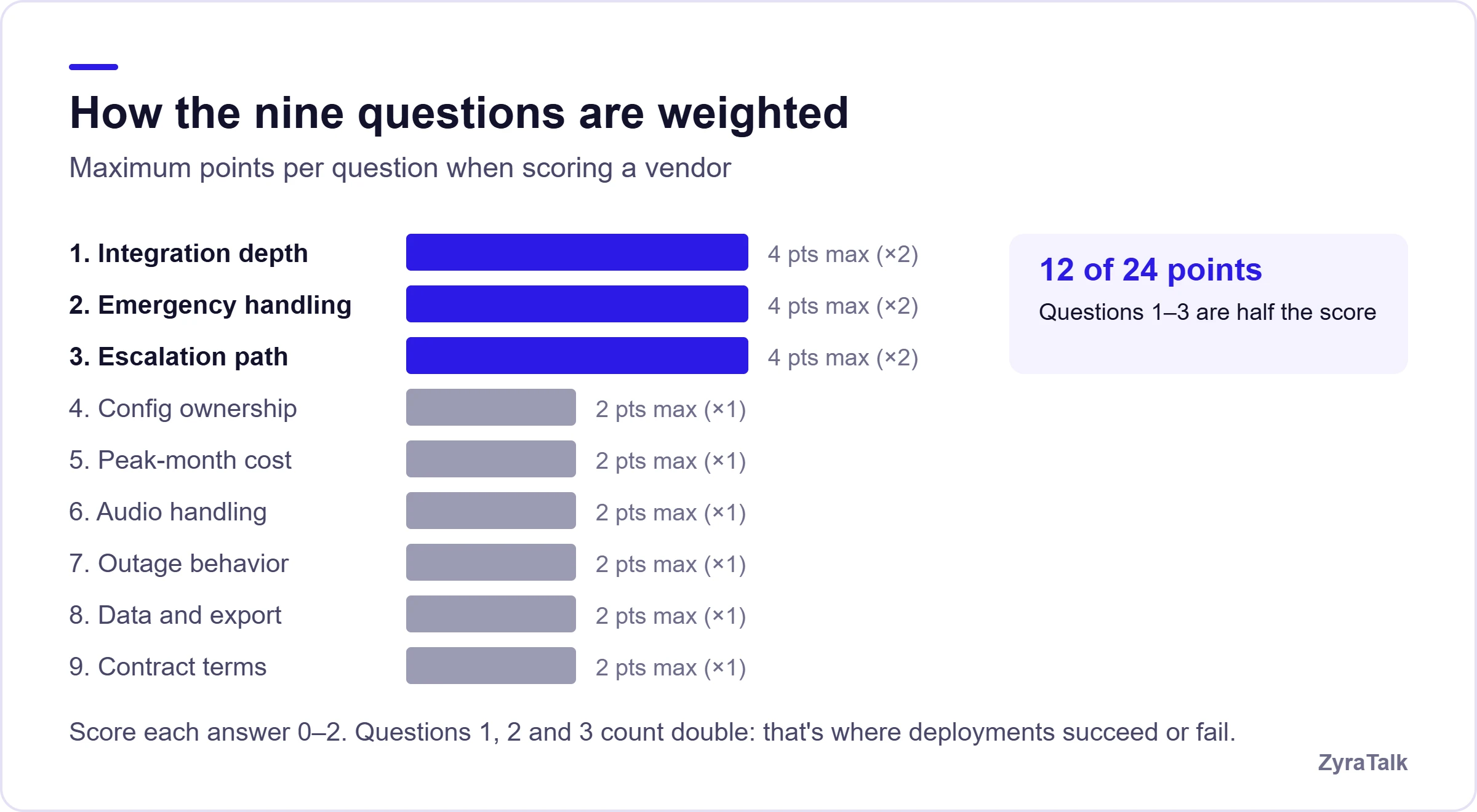
A vendor scoring well on features and poorly on the first three is a vendor you will be unhappy with in month three.
Where ZyraTalk stands
ZyraTalk is built for home service businesses specifically, which shows up most in questions 1 and 2. It writes complete bookings into field service platforms including ServiceTitan, Housecall Pro and Service Fusion, and it triages urgency so a no-heat call routes to your on-call tech rather than getting scheduled for next week. Every call is transcribed with structured data in a single inbox. The nine questions above are a fair test, and we would rather you ask them of every vendor including us.
Most buyers in this category evaluate on features and are disappointed by integration and escalation. Reverse that order and you will choose better.
Bring the checklist. We'll answer all nine.
Book a working session and we'll demonstrate a live booking into your own field service software, run an emergency test call, and show you what happens when the AI hits something it was not configured for.
Book a demo- Live booking into your system
- Emergency triage on a test call
- Peak-month pricing, not average
Choosing an AI answering service FAQs
How do I choose an AI answering service?
Evaluate on integration depth, emergency handling and escalation before features. Ask each vendor to demonstrate a live booking into your actual scheduling system, test an emergency call, and ask what happens when the AI cannot handle a request.
What should I look for in an AI answering service?
Direct booking into your existing software, urgency triage that routes emergencies to a human, a clearly defined escalation path, self-service configuration, transparent pricing at your peak call volume, and reasonable contract terms.
How do I test an AI answering service before buying?
Make test calls during a trial: a routine booking, an emergency, one with a difficult address, and one asking about something the system was not configured for. Call from a noisy environment. The off-script call reveals the most.
What questions should I ask an AI answering service vendor?
Ask whether it writes bookings directly into your system, how it identifies emergencies, what happens to calls it cannot handle, who can change the configuration afterwards, what it costs in your busiest month, what happens during an outage, and what the contract exit looks like.
Are AI answering services reliable?
The technology handles routine calls well. Reliability problems usually come from configuration rather than capability: poorly defined escalation rules, missing service information, or integrations that do not write cleanly. Ask about uptime history and failover behavior specifically.
Should I sign an annual contract?
On a first deployment, prefer a monthly option even at a slightly higher rate. The category is moving quickly and a twelve-month commitment to an untested configuration carries more risk than the discount is worth.